How to Find a Stolen or Lost Phone: Hello friends – Nowadays everyone uses a mobile phone. In our smartphones, we keep a lot of important and personal data, which, if it falls into the wrong hands, can cause trouble for us.
With the increasing use of mobiles, incidents of mobile theft have also become common. In today’s post, we will learn what to do if a mobile is stolen or lost.
So let’s find out how to find a lost phone using a Google account, and how to find a lost phone for free.
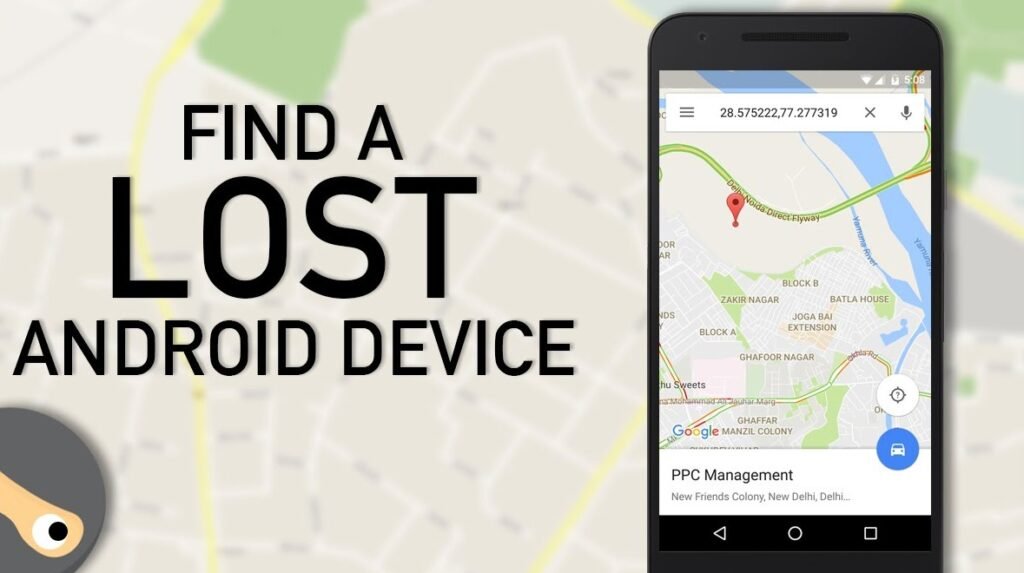
What to Do if Your Mobile is Stolen or Lost
There are many people whose mobile gets stolen or lost, but because they don’t have the information, they don’t try to find their phone.
But if you want, there are some ways through which you can track your mobile phone and secure your data.
So let’s see what are the ways through which we can track our lost or stolen mobile phone.
- If your mobile gets stolen or lost, first of all, try to find it.
- If you suspect someone, meet them alone and ask politely.
- After that, report your lost or stolen mobile at your nearest police station.
- The advantage of filing a written complaint at the police station is that if the thief misuses your mobile, it can protect you from such a situation.
- When filing a complaint at the police station, make sure to provide the IMEI number of your mobile phone.
- The IMEI number of your mobile phone is usually on the mobile box.
- If you don’t have the phone box, you can also get your phone’s IMEI number through your Google account.
- For this, you can easily find your phone’s IMEI number by going to the Google Dashboard of your Google account.
- Now you might be wondering how Google can know our phone’s IMEI number; this is because Google keeps track of all your activities, but for this, your Google ID must be logged in on your phone.
- The police keep the IMEI number under surveillance, and as soon as there is any kind of activity on your phone, the police get to know about it.
How to find your mobile if it’s stolen or lost using Gmail ID
You can get back your lost mobile phone in 2 ways, the first way is Find My Device. By using this method, you can track your lost mobile yourself from a friend’s mobile or your computer.
Through this, you can lock your stolen mobile phone, make it ring, and erase the data present in it.
For this, you need to install the ‘Find My Device’ app on your friend’s smartphone, or you can also use its web version on a computer.
After installing the Find My Device app, log in by entering your Gmail ID. Here, you need to log in with the same Gmail ID that was logged in on your stolen phone.
After logging in, you will see three types of options here, as you can see in the image below.
1. Play sound
Using this option, you can make your lost mobile phone ring. Even if your phone is on Silent mode, it will still ring.
2. Secure device
With this option, you can lock your device and also sign out of your Google account.
3. Erase device
Using this option, you can delete all the data on your device.
Note: If you are trying to locate your mobile through Find My Device but your lost phone is not connecting, it is possible that your phone’s mobile data network is turned off. But you should keep trying, and as soon as your phone connects to the data network, its location will pop up on the map.
How to get your lost mobile back using the IMEI number
Friends, every mobile device has an IMEI number which is 15 digits long. Every mobile device has a different IMEI number. The IMEI number is written on your mobile device’s box and at the place where the battery goes.
You can also find your mobile’s IMEI number by dialing *#06# from your phone. If your lost phone isn’t connecting through Find My Device, you can use this other method as well.
To track a lost mobile using the IMEI number, you’ll need to go to your nearest police station and file an FIR.
There, you’ll have to provide the mobile’s IMEI number and some important details. After that, your device will be put under surveillance, and as soon as the thief inserts a new SIM card into the device, the location of that area will be tracked immediately.
How to track a stolen mobile through the government helpline number
In view of the increasing incidents of mobile theft, the central government has issued a helpline number to register complaints for stolen mobile phones, where you can call and report your stolen phone.
Helpline Number 14422
You can report your phone stolen by dialing Helpline number 14422. If for some reason calling is not possible, you can also send a message to this number to register your complaint.
Earlier, reporting a stolen mobile involved a lot of hassle, but with the convenience of this helpline, you can get rid of all those troubles.
By dialing this number or sending a message, your complaint will be registered. After that, the police and the service provider company will search for your mobile phone.
The Telecommunication Engineering Centre (TEC) has created a Central Equipment Identity Registry (CEIR) to track stolen mobile phones. The CEIR contains information about every mobile user’s phone model, IMEI number, and SIM number in the country.
With this information, stolen phones can be tracked and the mobile can be blocked.
Also Read📖🔥👍
Windows Shortcut Keys in Hindi
How to Recover Your Forgotten Gmail Password
Conclusion
Friends – In today’s article, we learned about How To Find A Lost Or Stolen Phone In India and How to find a lost phone using a Google account. Please tell us how you liked this post and also share it with your friends.
We hope that today’s article will be helpful for you. If you have any questions or suggestions, you can tell us through comments. Thank you for visiting www.technofriendajay.in ~ Jai Hind ~ Vande Mataram ~