How to create a gmail account without a mobile number: Hello friends – Nowadays, having a Gmail account is essential for every smartphone user because you also log in to your Google account on your smartphone.
Creating a Gmail account is actually very easy, and it is one of the popular services available online. When you create a Gmail account, Google asks you to verify a mobile number.
This helps in case you forget your Gmail password; Google will send an OTP (one-time password) to this number and allow you to create a new password. But if you want to create a Gmail account without a mobile number, read this post carefully and follow the steps.
So, friends, let’s find out how to create a Gmail account without a mobile number.
How to create a gmail account without a mobile number
1. On a computer or laptop
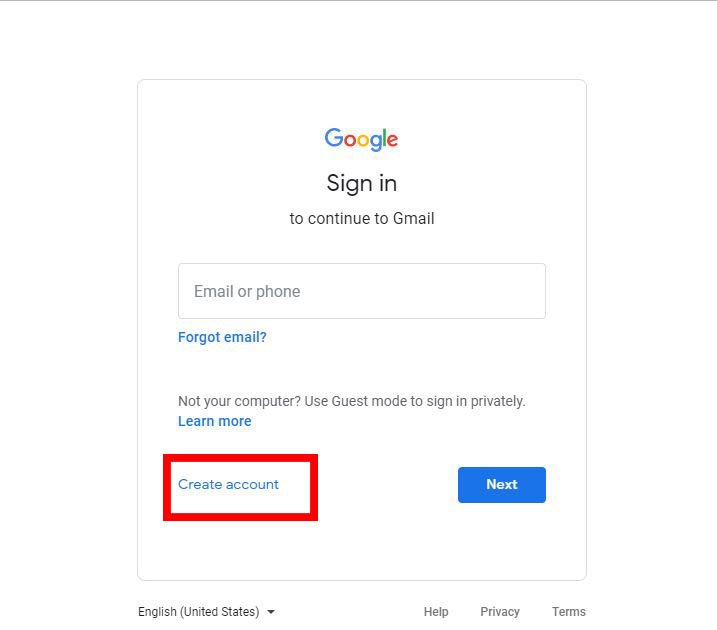
- First, open Gmail in your browser and click on create account.
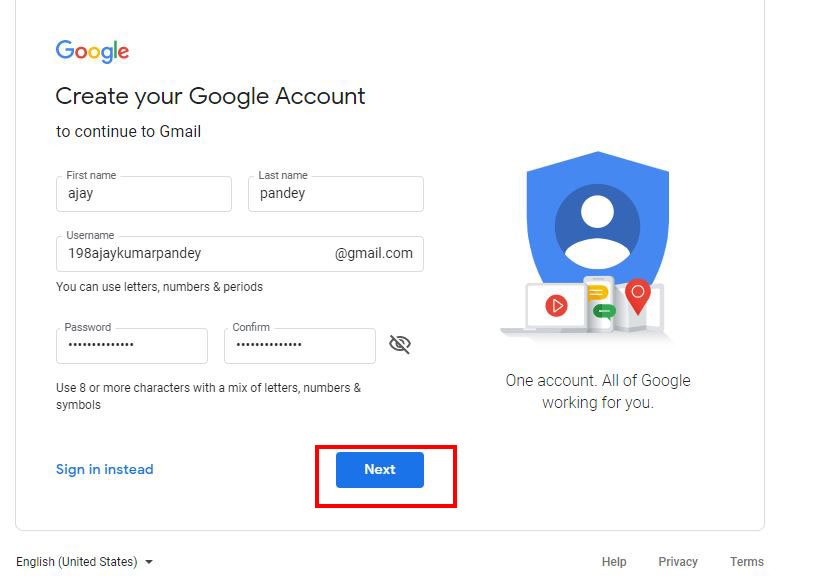
- Now, in the window that has opened, after filling in your name, username, and password, click on the next button.
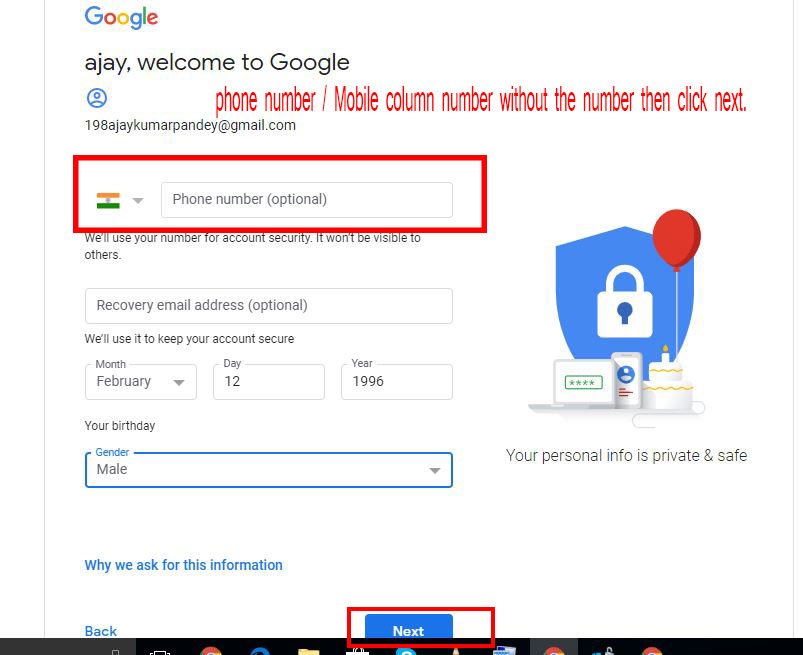
- After clicking next, the page that opens will ask you to fill in your date of birth, gender, and other personal details. It will also ask for a phone number or recovery email address. Here, you need to leave the phone number column empty and just click on next.
- As you can see in the image, our Gmail account has been set up without a phone number, and now we can log in.
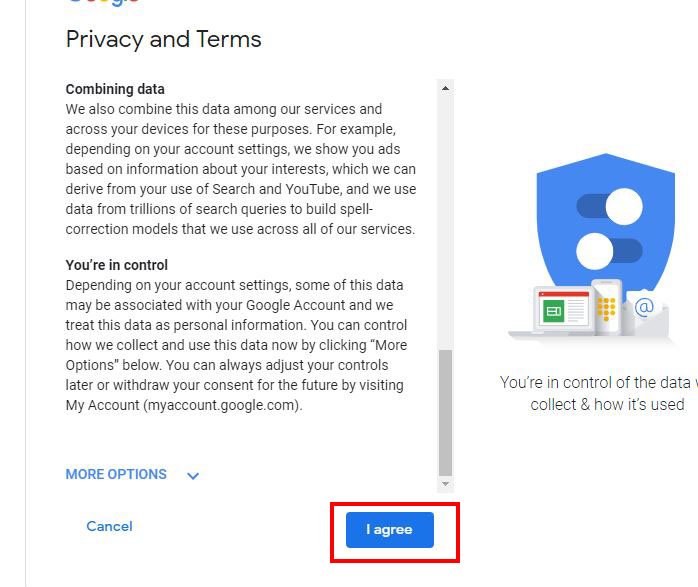
2. In your smartphone
- You can open the Gmail app on your smartphone or go to settings, open account settings, and click on add account.
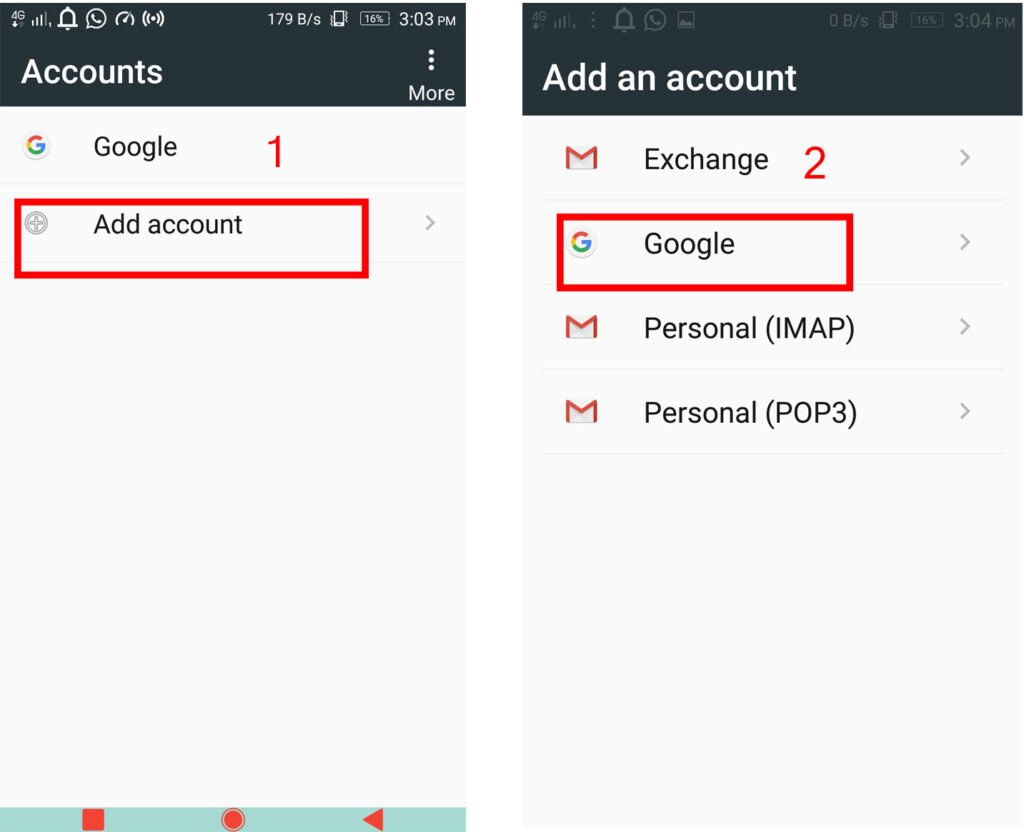
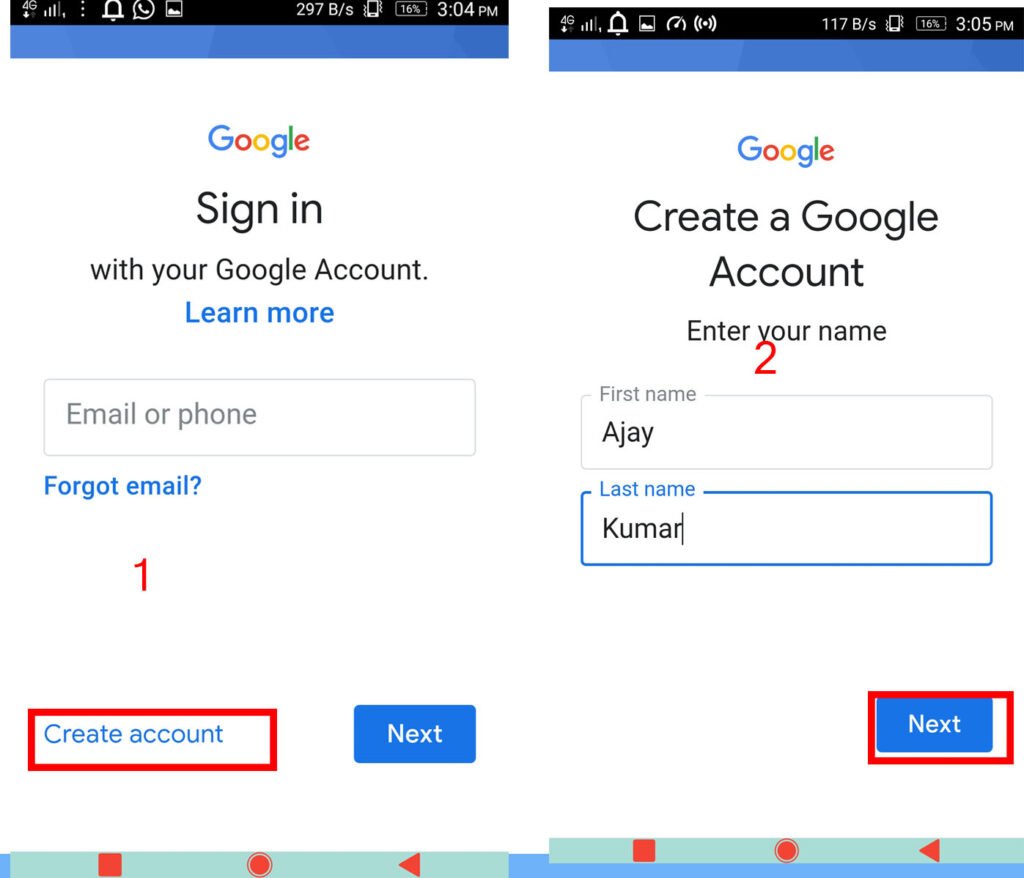
- Now here you have to click on create account, fill in your first and last name, and then hit next, just like you can see in the image
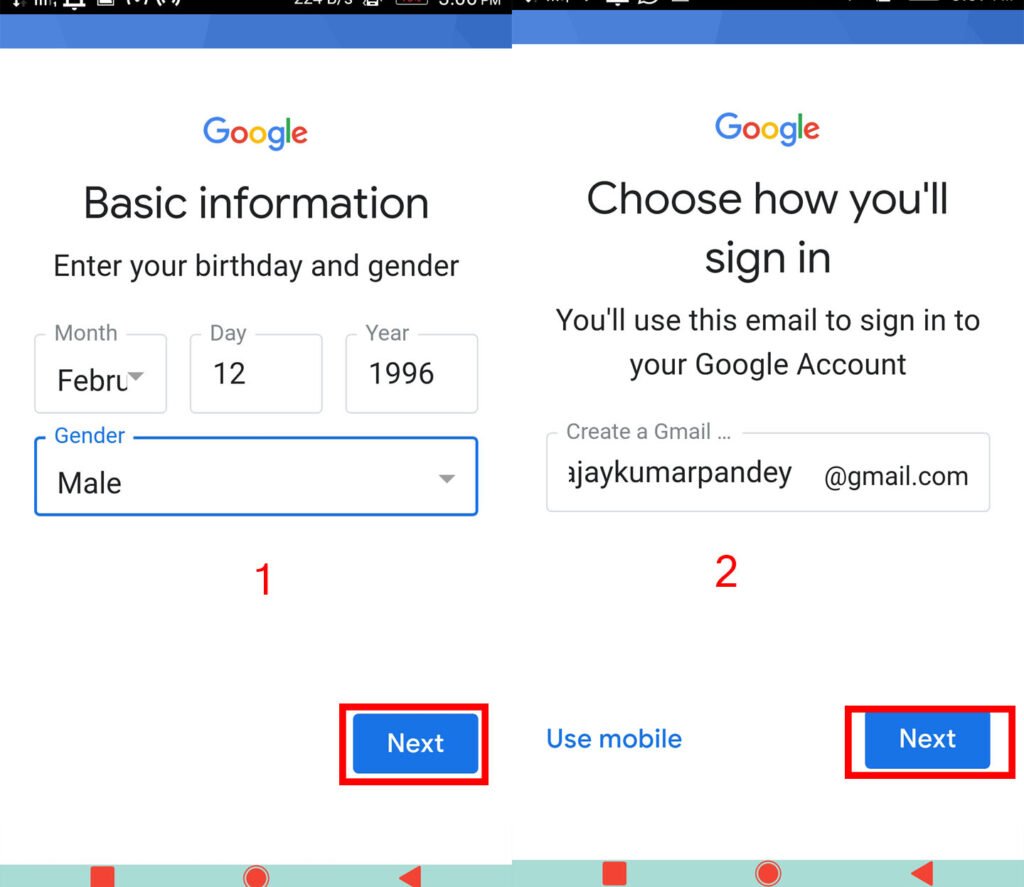
- Now fill in your date of birth and gender, then click Next. After that, create a Gmail and then click Next again.
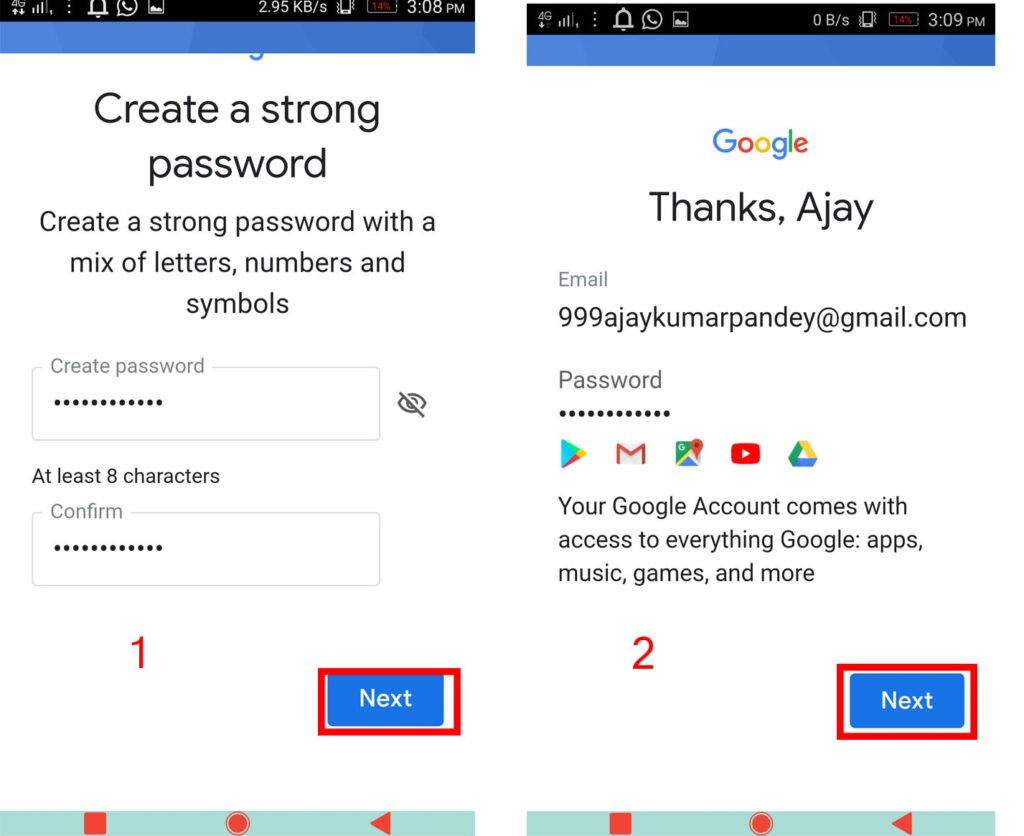
- And in the next step, create your password and tap on next. Now you can see that your Gmail account has been created.
Also Read📖🔥👍
What is GPS And how does it work?
How to Keep Your Mobile and Personal Data Secure
Conclusion
Friends, in today’s article you learned how to create a Gmail account without a mobile number 2026, and we hope that today’s post will prove helpful for you. Please let us know in the comments how you liked the information we provided.